Every turnover, documented — before and after.

Your cleaner photographs each item as they go. You get a report you can send to a guest, an owner or an insurer — without being there.

Harbour View Flat 21 Sep · 09:41–10:24
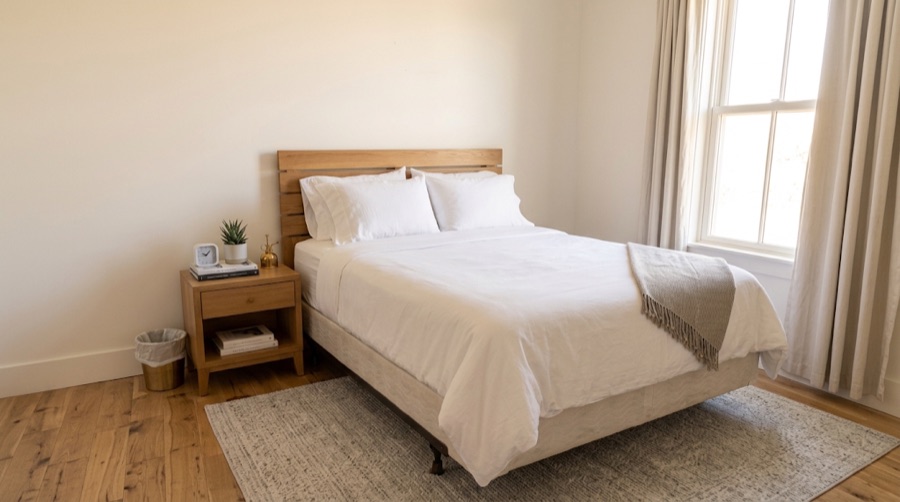
Bedroom · Change the sheets
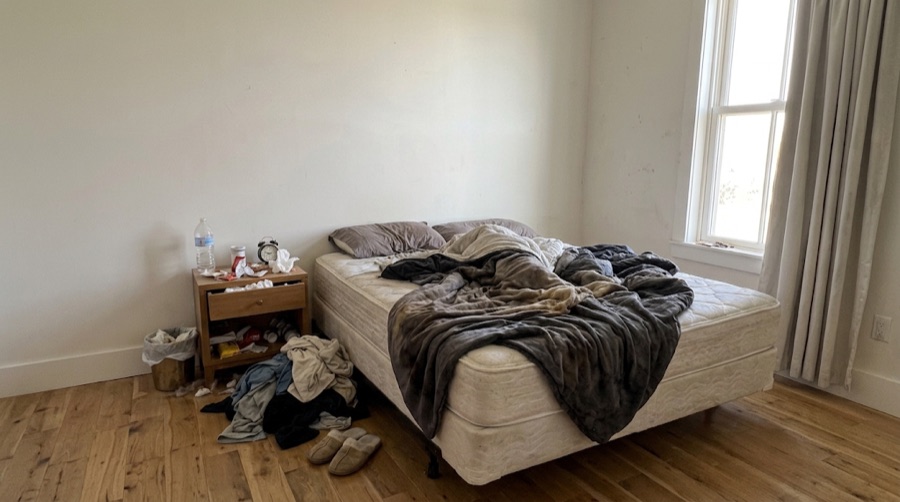
The bedroom before the turnover: the bed stripped back and unmade, clothes heaped on the floor, the bin overflowing, the nightstand cluttered.
Before
The same bedroom after: the bed made with fresh white linen, the floor clear, the nightstand tidied.
After
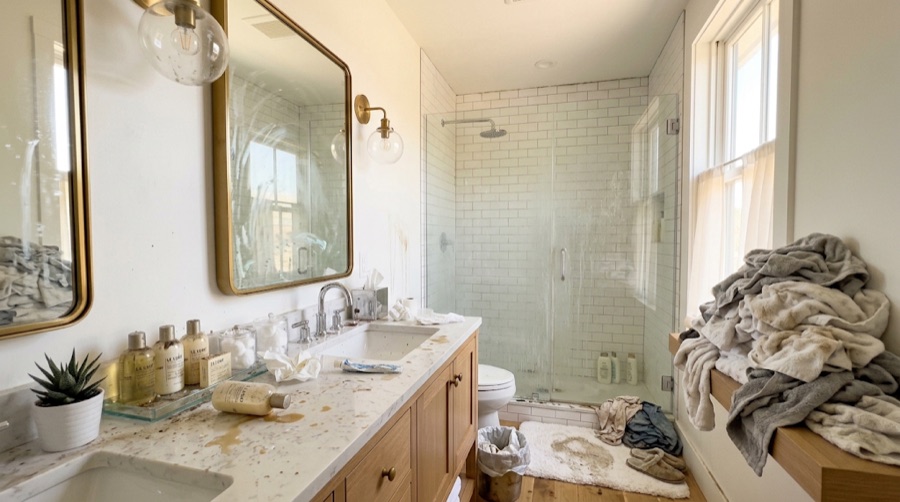
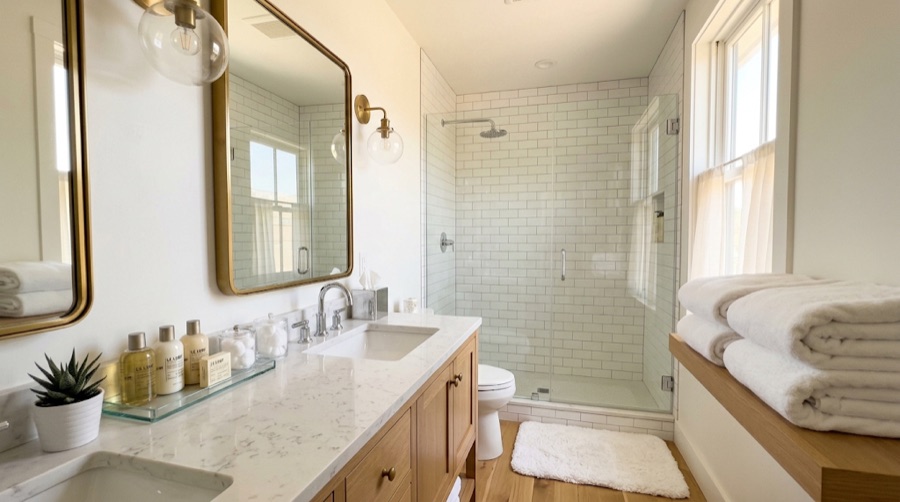
Bathroom · Clean the shower
The bathroom before: towels heaped on the bench, the counter spilled and littered, the bath mat stained, the shower glass marked.
Before
The same bathroom from the same spot after: towels folded, the counter clear, the mat and the glass clean.
After
How it works

Four steps, and only one of them is yours.

You set the place up once. After that the work happens on your cleaner's phone and arrives as a finished record.

  1. 01

    Add your property

    A room-by-room checklist is created for you — bedroom, bathroom, kitchen — and you edit it if your place needs something else.

  2. 02

    Send your cleaner a code

    They enter it and they're in. No account, no email address, no app store password to remember. The code covers your whole account, not one property.

  3. 03

    They work the list

    One item at a time, a photo before and a photo after. Supplies running low get flagged; anything broken gets a photo and a note.

  4. 04

    You get the report

    Photos paired, timed and in order. Share it as a PDF when a guest disputes the state of the flat, or keep it for the one time you need it.

Two people, one app

The person in gloves gets a different app than you do.

Most tools are built for whoever is paying. This one has to work for the person doing the job, standing in someone else's kitchen with one hand free.

Host

Everything on one screen

Properties, cleaners, scheduled turnovers and finished reports, laid out the way you'd expect anything you manage from a desk to be laid out.

Cleaner

Big buttons. Icons first.

Targets sized for a gloved thumb, text large enough to read at arm's length, and an icon carrying the meaning so the words only confirm it.

Basements, stairwells, dead zones

It doesn't need a signal to work.

Photos are saved on the phone and send themselves when a connection comes back. A flat with no bars doesn't stop the job and doesn't lose the evidence — the cleaner finishes, walks out, and the report completes itself.

Pricing

One price, however many places you run.

Charging per property punishes the people who use it most. Pro is flat — the tenth flat costs the same as the second.

Free

$0
  • One property, one cleaner
  • Every feature, nothing withheld
  • Checklists, photos, PDF reports

Enough to run one flat properly, for as long as you like.

Pro

$9.99 / month
  • Unlimited properties and cleaners
  • Full report history
  • Everything in Free

$79.99 a year works out at $6.67 a month. Cancel from your Apple or Google account; it stays active until the period you've paid for ends.